Godot 着色器 shader
4.5.1 2025-10-15

着色器(shader)包含,2D(canvas_item), 3D(spatial), 粒子(particles), 天空(sky), 雾(fog)。
// 2D
shader_type canvas_item;

// 片段
void fragment(){
  // 颜色,红,绿,蓝,透明度
  COLOR = vec4(0.4, 0.6, 0.9, 1.0);
}
顶点着色器
对于 2D (canvas_item) 着色器,可以使用 vertex() 对每个顶点进行处理。
举个例子,比如有一个 Sprite2D,我们把默认的 icon.svg 拖拽到界面里,大小为 128 x 128,坐标原点在图片中心 (0, 0),此时图片有四个顶点 (-64, -64), (64, -64), (-64, 64), (64, 64)。
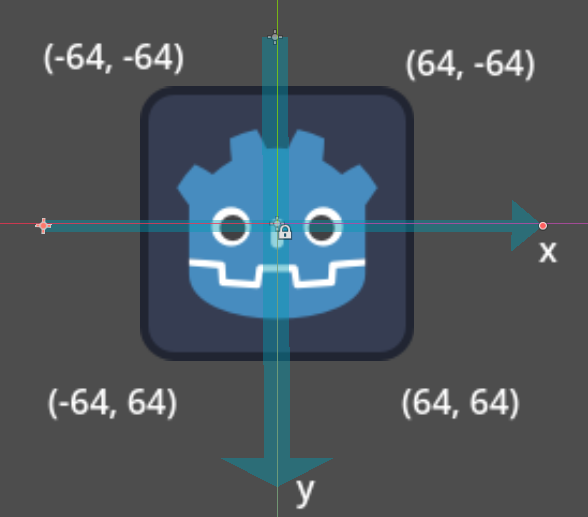
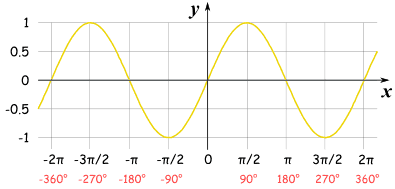
下一步,我们想让图片实现风吹野草类似的来回晃动,可以控制图片的上面两个节点随着时间的增长左右移动,这种往复移动的情况可以使用正弦 (sin) 函数,配合默认时间 (TIME) 变量。
// 2D
shader_type canvas_item;

// 顶点
void vertex() {
  VERTEX.x = sin(TIME);
}
感觉晃动幅度不够快,就乘以晃动幅度。
// 2D
shader_type canvas_item;

uniform float speed_intensity = 20.0;

// 顶点
void vertex() {
  VERTEX.x = sin(TIME) * speed_intensity;
}
感觉晃动速度不够快,就乘以晃动速度。
// 2D
shader_type canvas_item;

uniform float speed_intensity = 20.0;
uniform float speed = 4.0;

// 顶点
void vertex() {
  VERTEX.x = sin(TIME * speed) * speed_intensity;
}
只让上面两个顶点移动
// 2D
shader_type canvas_item;

uniform float speed_intensity = 20.0;
uniform float speed = 4.0;

// 顶点
void vertex() {
  if (VERTEX.y < 0.0) {
    VERTEX.x = sin(TIME * speed) * speed_intensity;
  }
}
片段着色器
fragment() 可以作用于图片里的每个像素。
如果想实现透明,可以直接把默认的颜色 (COLOR) 的透明度 (alpha) 通道修改为 0.5。
// 2D
shader_type canvas_item;

// 片段
void fragment() {
  COLOR.a = 0.5;
}
每个像素的颜色有四个通道,分别对应红 (red),绿 (green),蓝 (blue),透明 (alpha)。可以只加强红色通道,删除绿色和蓝色通道。
// 2D
shader_type canvas_item;

// 片段
void fragment() {
  COLOR.r *= 1.1;
  COLOR.g = 0.0;
  COLOR.b = 0.0;
  COLOR.a = 0.8;
}
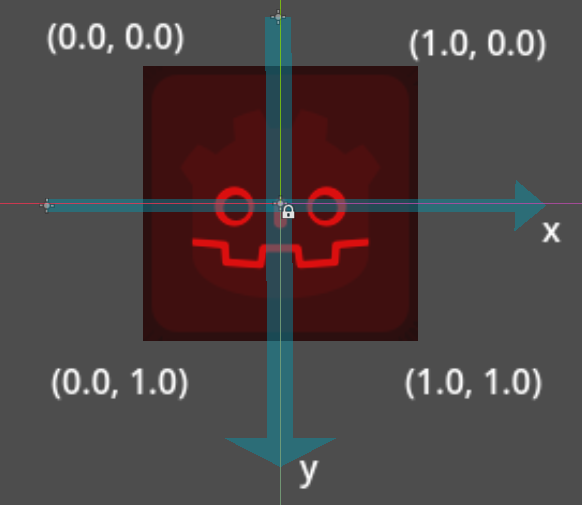
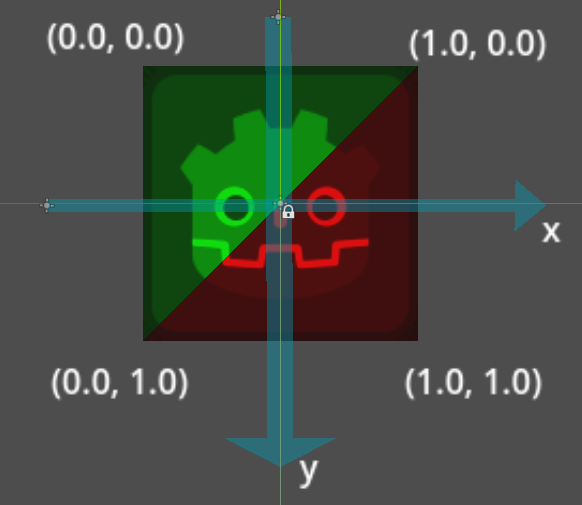
可以通过默认的纹理坐标变量 (UV) 控制当前像素的坐标,范围是 [0.0 - 1.0],2D 环境下就是横坐标 x 和纵坐标 y。比如根据坐标 x 和 y 位置让左上部分绿色,右下部分红色。横坐标 x 轴,左边为 0.0,右边为 1.0,纵坐标 y 轴,上边为 0.0,下边为 1.0。
// 2D
shader_type canvas_item;

// 片段
void fragment() {
  if (UV.x + UV.y > 1.0) {
    COLOR.r *= 1.1;
    COLOR.g = 0.0;
    COLOR.b = 0.0;
    COLOR.a = 0.8;
  } else {
    COLOR.r = 0.0;
    COLOR.g *= 1.1;
    COLOR.b = 0.0;
    COLOR.a = 0.8;
  }
}