Godot 输入 input
4.6 2026-01-27
右上方,鼠标右键菜单点击 Icon,选择绑定脚本(Attach Script)。
脚本自动继承 Sprite2D 父类,增加 _input() 方法,通过 Input.is_action_just_pressed() 判断上下左右方向键,直接修改global_position的位置,x控制左右,y控制上下。
extends Sprite2D

func _input(_event: InputEvent) -> void:
    if Input.is_action_just_pressed("ui_left"):
        global_position.x -= 10
    elif Input.is_action_just_pressed("ui_right"):
        global_position.x += 10
    elif Input.is_action_just_pressed("ui_up"):
        global_position.y -= 10
    elif Input.is_action_just_pressed("ui_down"):
        global_position.y += 10
         y(-)
         ^
         |
         |
x(-) ----+----> x(+)
         |
         |
         y(+)
绑定事件
ui_left, ui_right, ui_up, ui_down 是默认绑定的事件名称。
Project / Project Settings / Input Map 可以自定义输入映射。
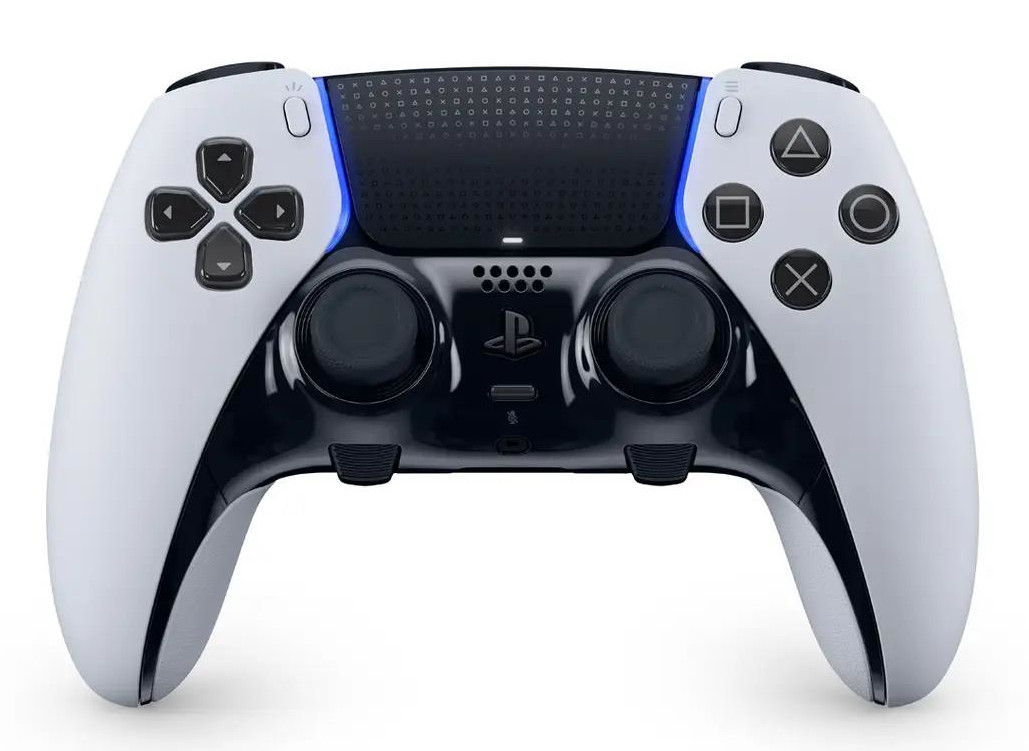
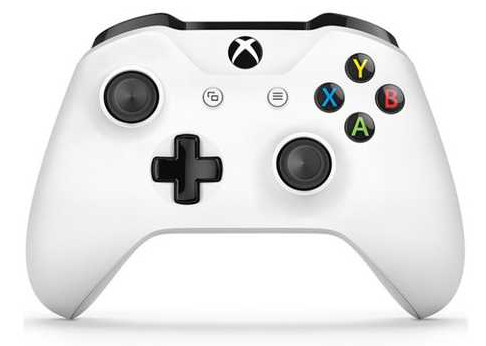
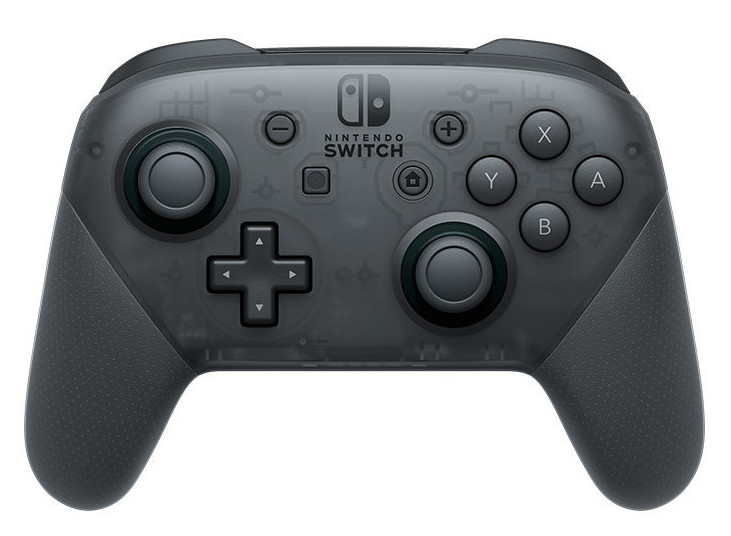
ui_select : Space, Sony Triangle, XBox Y, Nintendo X
| # | Action (输入) | Sony | Xbox | Nintendo |
|---|---|---|---|---|
| 1 | Bottom (下) | Cross (叉叉) | A | B |
| 2 | Right (右) | Circle (圆圈) | B | A |
| 3 | Left (左) | Square (方块) | X | Y |
| 4 | Top (上) | Triangle (三角) | Y | X |
| 5 | Back (后退) | Select | Back | - |
| 6 | Guide (引导) | PS | Home | |
| 7 | Start (开始) | Menu | + |
触摸输入
手机上支持触摸输入,分为触摸(InputEventScreenTouch)和滑动(InputEventScreenDrag)。
在_input()先判断事件(event)类型,再转换成对应类型,操作对应函数。
func _input(event: InputEvent) -> void:
    if event is InputEventScreenTouch:
        # 触摸
        var touch = event as InputEventScreenTouch
    elif event is InputEventScreenDrag:
        # 滑动
        var drag = event as InputEventScreenDrag
        var direction = Vector2i.ZERO
        if abs(drag.relative.x) > abs(drag.relative.y):
            if drag.relative.x < 0:
                direction = Vector2i.LEFT
            elif drag.relative.x > 0:
                direction = Vector2i.RIGHT
        elif abs(drag.relative.x) < abs(drag.relative.y):
            if drag.relative.y < 0:
                direction = Vector2i.LEFT
            elif drag.relative.y > 0:
                direction = Vector2i.DOWN