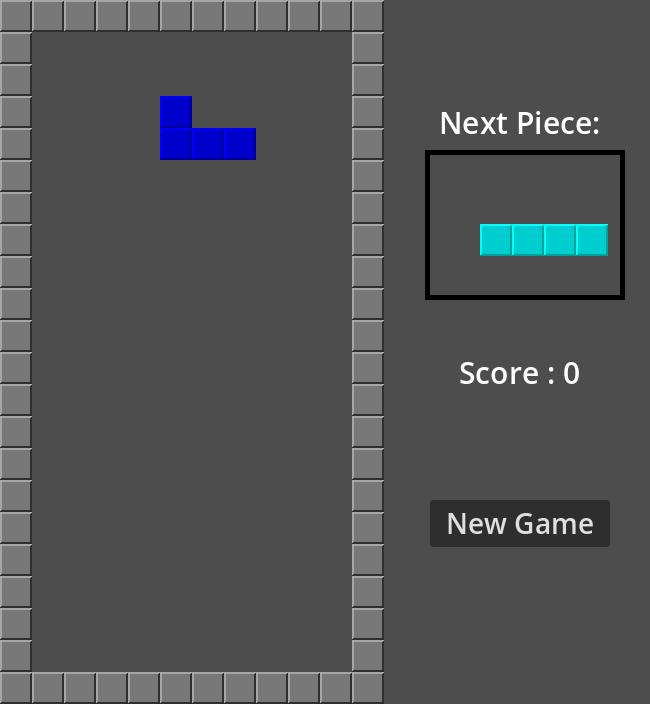
开发流程
移动方块场景
新建一个包含瓦片地图(TileMapLayer)的场景,保留宽10,高20的部分。
先初始化7种方块,随机洗牌然后取其中的方块,放到屏幕的顶端。
声明预留左右下三个方向(direction),声明默认向下速度(speed),在物理帧 `_physics_process()` 中移动,每帧累加,直至累加至一格才会执行移动,并清空对应方向的速度。
func _physics_process(_delta: float) -> void:
  if Input.is_action_just_pressed("ui_up"):
    rotate_piece()

  if Input.is_action_pressed("ui_left"):
    steps_left += 10
  elif Input.is_action_pressed("ui_right"):
    steps_right += 10
  elif Input.is_action_pressed("ui_down"):
    steps_down += 10

  steps_down += speed

  if steps_left > STEP:
    move_piece(Vector2i.LEFT)
    steps_left = 0
  elif steps_right > STEP:
    move_piece(Vector2i.RIGHT)
    steps_right = 0
  elif steps_down > STEP:
    move_piece(Vector2i.DOWN)
    steps_down = 0
向左,向右移动会先判断是否与已有方块碰撞,如果没有碰撞才能向对应方向移动。
func can_move(dir):
  # check if there is space to move
  for i in active_piece:
    if not is_free(i + current_position + dir):
      return false
  return true
移动就是先从瓦片地图中删掉原来的瓦片,再使用新坐标重新绘制。
func move_piece(dir):
  if can_move(dir):
    clear_piece()
    current_position += dir
    draw_piece(active_piece, current_position, piece_atlas)
向下移动在移动发生碰撞时,会把当前的方块移动到静态方块的瓦片地图里,然后加分和加速,然后创建新方块,如果新方块直接碰撞,会触发结束游戏。
if dir == Vector2i.DOWN:
      land_piece()
      check_rows()
      piece_type = next_piece_type
      piece_atlas = next_piece_atlas
      next_piece_type = pick_piece()
      next_piece_atlas = Vector2i(shapes_full.find(next_piece_type), 0)
      clear_panel()
      create_piece()
      check_game_over()
实体
- #1. 移动方块
- #2. 静态方块
- #3. 界面
#1. 移动方块
属性
- #1.1. 7种方块
- #1.2. 当前位置
- #1.3. 控制向左,向右,向下的积累速度
- #1.4. 默认向下速度
- #1.5. 旋转状态
- #1.6. 启用状态
行为
- #1.7. 按照速度向左,向右移动,判断碰撞
- #1.8. 旋转
- #1.9. 如果向下移动发生碰撞,把活动状态的砖块移动到静态状态的瓦片地图中,创建新方块
- #1.10. 如果创建新方块发生碰撞,结束游戏
#2. 静态方块
属性
- #2.1. 当前瓦片
行为
- #2.2. 消除多行
#3. 界面
属性
- #3.1. 下一个方块文字
- #3.2. 下一个方块
- #3.3. 游戏结束文字
- #3.4. 计分
- #3.5. 开始按钮
行为
- #3.6. 点击按钮,重新开始游戏